Explore through touch
Follow your curiosity.
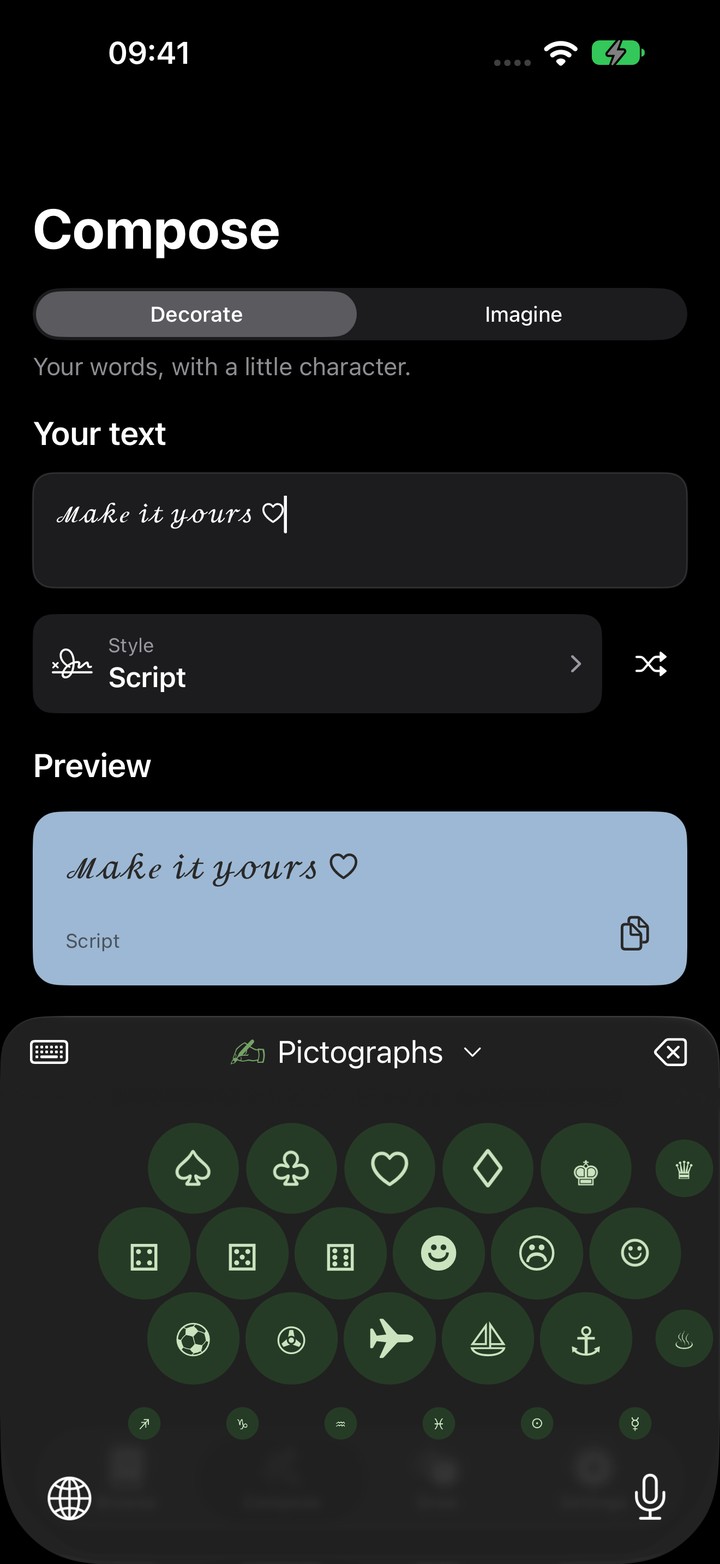
Zoom into pictographs, arrows, and more. Move through each collection and tap a symbol to add it to your message.
 Glyphs
A little more character. For iPhone & iPad.
That perfect arrow. The other heart. The symbol you know but can’t name. Find it, copy it, make it yours.

Free to start. Pro is one purchase, yours to keep.
Characters for your words.
Meet Glyphs Keyboard
Watch letters change style and symbols join the conversation.
Actual Glyphs Keyboard footage. Some styles and collections require Glyphs Pro.
The Glyphs keyboard
Type in your favorite style. Switch to symbols without leaving your message.
Explore through touch
Zoom into pictographs, arrows, and more. Move through each collection and tap a symbol to add it to your message.
Write with character
Choose a style and the letter keys change with it. Your words take on the same look as you type.

Find it as you type
Type :heart in Glyphs Keyboard to find matching symbols. Tap a suggestion to replace the shortcut and keep writing. Results follow your unlocked collections.
Set your own rhythm
Choose your text styles, toolbar actions, and languages. Adjust key sounds and haptic feedback in Keyboard settings, with accessibility options close at hand.
Key vibrations require Full Access and a supported device. They’re optional for typing.
Try before you choose
Open Settings → Keyboard → Try Glyphs Keyboard in the app. Explore every style in the unlocked demo before deciding on Glyphs Pro.
Demo text cannot be copied. Styled text uses Unicode characters; appearance varies between apps.
Room to express yourself
Browse collections and their symbols side by side. The larger screen gives you room to compare and choose.
See more of the app →
Try it here
Try the keyboard here.
Mix symbols with styled letters.
A small taste of Glyphs, made for the web. The app brings the full catalog, typing features, and haptic feedback to your iPhone and iPad.
Meet the keyboard →Use the buttons below, or focus this preview and type with your physical keyboard. Text stays on this page and cannot be copied from this preview.
Style applies to the next letters you type.
Small characters. Big possibilities.
From the useful to the wonderfully unnecessary.
There’s a
character for that.
Find & copy
Browse by category, or go straight to the symbol you need. Search by keyword, character name, or Unicode code point, then tap to copy.

Draw to find PRO
Draw the shape you remember. Glyphs suggests matching symbols so you can choose the one you had in mind and copy it.

Make it yours
Write once, compare Unicode styles and text art, then copy your favorite to paste into a message, bio, or caption. More styles are available with Pro.

Everyday shortcuts
Save it to Favorites for next time. Recents keeps the characters you’ve used close by, too.
Start in Dark, switch to Light, or follow your device with System appearance. Your colorful categories stay familiar in every mode.
Add a Glyphs widget to your Home Screen. Choose a collection, tap a character, and open it in Glyphs, ready to copy.

One search. Symbols and sections together.
A small app. A simple deal.
Start finding and copying characters for free.
One in-app purchase. No subscription.
Explore Pro in the app. Your local price is shown before you buy.
No ads. No third-party tracking in the app. No account needed. Your privacy, respected.
Symbols for your words.
Made for iPhone and iPad.
